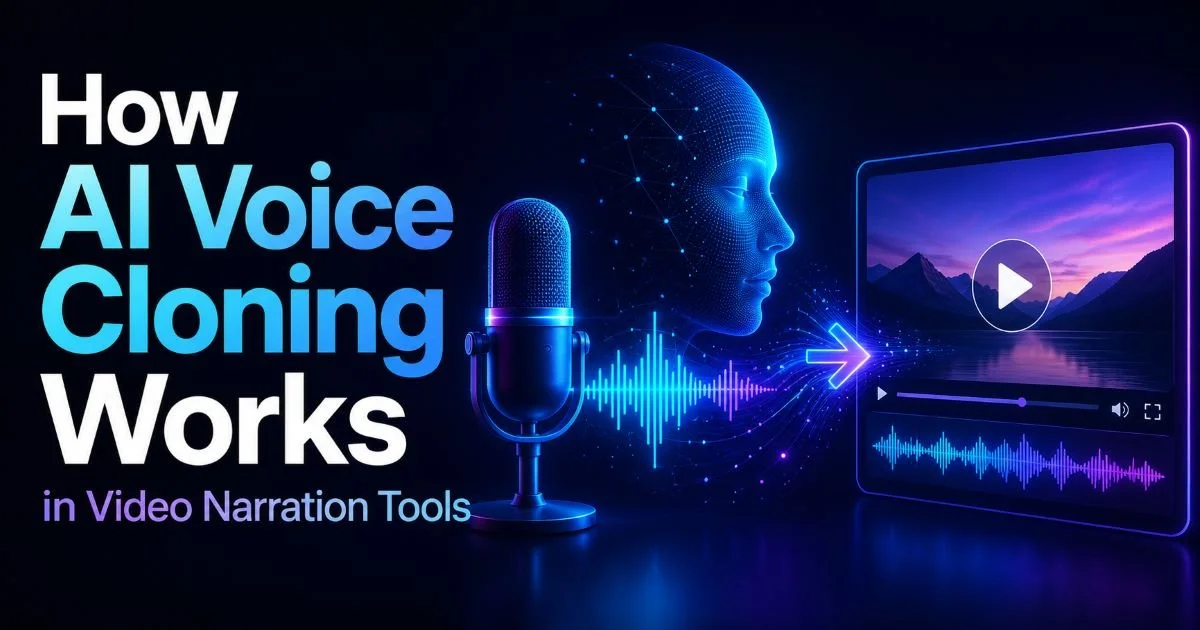
AI video narration generator tools have fundamentally changed how content creators produce voiceovers, but one feature stands above the rest in terms of impact: voice cloning.
This technology allows you to replicate a specific voice, whether your own or a licensed one, and use it to narrate videos automatically. For editors and creators who produce high volumes of content, automatic video narration powered by voice cloning eliminates hours of recording time while maintaining a consistent sonic identity.
The technology works by analyzing audio samples, building a mathematical model of vocal characteristics, and then synthesizing new speech that sounds remarkably like the original speaker. Understanding how this process works, from sample collection to final output, gives you a practical edge. If you want a broader understanding of the field, our guide on what AI video narration is, including definitions and examples, provides helpful context. This article walks you through the actual mechanics, step by step, so you can use voice cloning effectively in your next project.
Key Takeaways
- Voice cloning uses short audio samples to build a digital model of any voice.
- Higher quality training audio produces more accurate and natural-sounding cloned output.
- Most AI voiceover tools now support custom voice profiles alongside preset voices.
- Ethical use requires consent from the person whose voice is being cloned.
- Cloned voices can narrate videos in multiple languages while preserving vocal identity.
1. How Voice Cloning Captures Vocal Identity
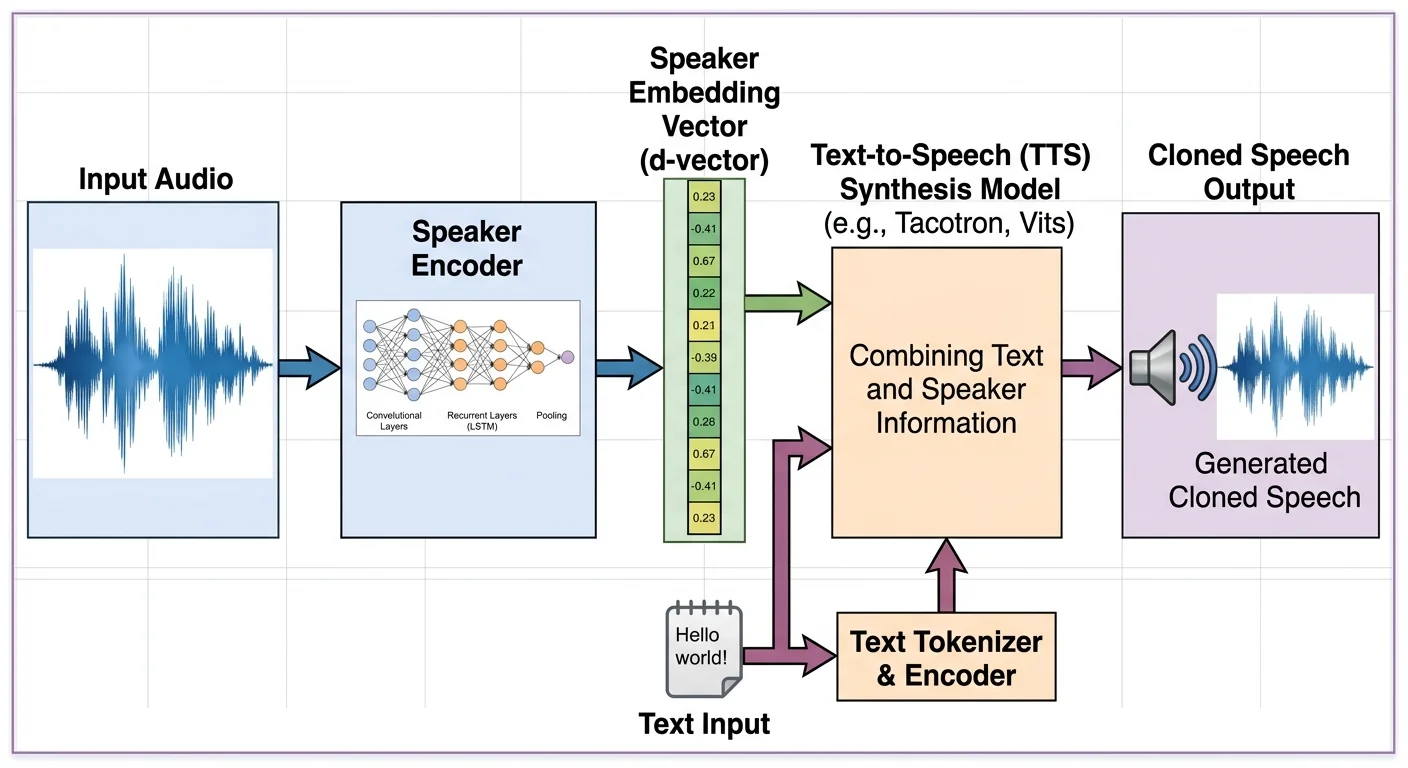
Voice cloning starts with a concept borrowed from speaker verification research. When you provide an audio sample, the AI system doesn't just record the words you say. It extracts dozens of features: pitch range, speaking cadence, formant frequencies, breathiness, vocal fry patterns, and the unique resonance created by your vocal tract. These features get compressed into a compact numerical representation, sometimes called a speaker embedding, that serves as a fingerprint for your voice.
Modern video narration software uses neural networks trained on thousands of hours of diverse speech data. The base model already knows how to produce natural-sounding speech in general. Your voice sample essentially tells the model, "Sound like this person." The speaker embedding acts as a conditioning signal, steering the model's output toward your specific vocal qualities while the underlying language model handles pronunciation, rhythm, and intonation.
The Role of Audio Embeddings
Speaker embeddings typically exist as vectors of 256 to 512 dimensions. Each dimension captures a different acoustic property. Think of it as a coordinate in a high-dimensional space where similar-sounding voices cluster together. The closer two embeddings are in this space, the more alike the voices sound. This mathematical framework is what allows AI video tools to separate "what is being said" from "who is saying it," making voice transfer possible.
The quality of the embedding depends heavily on the model architecture. Transformer-based encoders have largely replaced older recurrent neural network approaches because they capture long-range dependencies in speech more effectively. Tools like those compared in our roundup of top free AI video narration generators use variations of these architectures. The practical result for creators is that even a few minutes of audio can produce a surprisingly accurate voice clone, though more data always helps.
2. Preparing Your Voice Samples for Best Results
The single biggest factor affecting clone quality is the audio you feed into the system. Garbage in, garbage out applies with force here. You want clean, dry recordings with no background music, no room echo, and no overlapping speakers. Most platforms accept between 30 seconds and 30 minutes of audio, but the sweet spot for most AI voiceover systems sits around 3 to 5 minutes of continuous, varied speech. Reading a diverse passage that includes questions, statements, and emotional variation gives the model the broadest picture of your voice.
Read a mix of short and long sentences, questions, and exclamations to give the AI the widest sample of your vocal range.
Recording Environment and Format
Record in a quiet room with soft furnishings to absorb reflections. A basic USB condenser microphone outperforms a laptop mic by a wide margin. Set your recording software to 44.1 kHz or 48 kHz sample rate at 16-bit depth minimum. Export as WAV or FLAC rather than MP3, since lossy compression strips away subtle details the cloning model needs. Position yourself 6 to 8 inches from the microphone and use a pop filter to reduce plosive bursts on "p" and "b" sounds.
Avoid processing your samples with EQ, compression, or noise gates before uploading. The AI model needs to hear your raw voice, not a processed version of it. If you apply heavy noise reduction, the model might clone the artifacts of that processing rather than your actual vocal characteristics. Some creators make the mistake of submitting polished podcast audio, only to find the clone sounds oddly filtered. Raw, clean audio is always the better choice.
Once you have your samples ready, label them clearly and keep backups. Some platforms allow you to update or retrain your voice profile later, so having the original files accessible saves time. If you are working with a team, establish a consistent recording protocol so that every team member's voice profile reaches the same quality standard.
3. Generating Narration with Your Cloned Voice
With your voice profile created, the actual narration generation process is straightforward. You provide the text you want spoken, select your cloned voice from the available profiles, and the system synthesizes audio. The text-to-speech engine breaks your script into phonemes, predicts prosody (stress, pitch contour, pacing), and then renders the final waveform conditioned on your speaker embedding. The entire process typically takes seconds for a paragraph of text, making it practical for iterative editing workflows.
Many AI video tools, including Video Narrator, go beyond simple text-to-speech. They analyze what is actually happening on screen and generate contextually appropriate narration. This means the AI watches your video content, understands the visual scene, and writes narration that describes or complements the footage, all delivered in your cloned voice. For creators producing tutorials, product demos, or documentary-style content, this combination of visual understanding and voice cloning is remarkably powerful.
"The AI watches your video, understands the scene, and creates narration in your cloned voice, all without you recording a single word."
Fine-Tuning Output Parameters
Most platforms offer controls for speaking speed, emotional tone, and emphasis. Adjusting speed by plus or minus 15% from the default usually sounds natural, but pushing beyond that introduces artifacts. Some tools let you add SSML (Speech Synthesis Markup Language) tags to control pauses, pitch shifts, and pronunciation of unusual words. If your video narration software supports SSML, learning the basic tags for pause and emphasis will improve your output noticeably. The difference between a flat AI read and a dynamic one often comes down to these small adjustments.
SSML support varies across platforms. Test tags in small batches before applying them to full scripts to avoid unexpected pronunciation errors.
When comparing AI voiceover to traditional recording, the speed advantage is dramatic. What might take an hour in a studio can be generated in under a minute. For a deeper look at these tradeoffs, our comparison of AI video narration versus human voiceover breaks down the key differences. The practical reality is that cloned voices now handle 80% of narration tasks competently, leaving only the most emotionally complex reads to human talent.
4. Ethical and Practical Considerations
Voice cloning raises legitimate ethical questions that every creator should address before using the technology. The most fundamental rule is consent. Never clone someone's voice without their explicit permission. This applies to collaborators, clients, and public figures alike. Several jurisdictions are actively drafting legislation around synthetic media, and platforms are implementing verification steps to confirm that the person submitting voice samples has the right to do so. Ignoring consent is not just unethical; it is increasingly illegal.
Platform Policies and Consent
Major platforms like YouTube and TikTok have begun requiring disclosure when AI-generated voices are used in content. Our list of the best AI voiceover tools for YouTube covers which tools help you stay compliant. Practically, this means adding a note in your video description or using platform-specific labels for synthetic content. Transparency builds trust with your audience, and early adopters who disclose honestly tend to face less backlash than those caught being deceptive.
Cloning a voice without the speaker's consent may violate privacy laws in the EU, several US states, and other jurisdictions. Always obtain written permission.
Beyond consent, consider the quality threshold for your use case. Cloned voices work excellently for informational content, tutorials, and internal training videos. They are less convincing for deeply emotional storytelling or character-driven narratives where subtle human performance nuances matter. Knowing where the technology excels and where it falls short helps you make smart decisions about when to use a clone versus hiring a voice actor.
Multilingual capabilities add another practical dimension. Some voice cloning systems can take your English voice profile and generate speech in Spanish, French, Japanese, or dozens of other languages while preserving your vocal identity. For creators targeting global audiences, this feature is extraordinarily useful. You can explore the best AI video translators for tools that combine translation with voice preservation. The ability to sound like yourself in a language you do not speak opens distribution channels that were previously accessible only to large studios.
Frequently Asked Questions
?How long should my audio sample be for accurate voice cloning?
?Do cloned voices retain vocal identity when narrating in other languages?
?Can a poor recording environment ruin an otherwise good voice clone?
?Is a transformer-based encoder meaningfully better than older RNN tools for cloning?
Final Thoughts
Voice cloning in automatic video narration has moved from research curiosity to daily production tool. The process is grounded in solid engineering: capture vocal features, build a speaker embedding, and condition a neural TTS model on that embedding.
Your practical success depends on providing clean audio samples, understanding the controls your chosen platform offers, and using the technology ethically. As AI video tools continue improving, the gap between cloned and recorded voices will narrow further, giving content creators more flexibility without sacrificing quality.
Disclaimer: Portions of this content may have been generated using AI tools to enhance clarity and brevity. While reviewed by a human, independent verification is encouraged.