AI video narration tools have fundamentally changed how creators produce content for YouTube. Instead of spending hours recording voiceovers, editing out mistakes, and syncing audio to footage, you can now upload a video and let an AI voiceover generator handle the heavy lifting.
The market for video narration software has exploded in 2025, with dozens of options competing for your attention. Some tools simply convert text to speech. Others, like those built around AI video narration, actually watch your footage and generate contextual narration automatically.
This guide walks you through the best AI video tools available right now, how to evaluate them, and how to build a workflow that saves you real time without sacrificing quality.
Key Takeaways
- AI voiceover tools in 2025 range from basic text-to-speech to full scene-aware narration engines.
- Matching voice style to your channel's tone matters more than picking the most realistic voice.
- Automatic video narration can cut production time by 50% or more for tutorial-style content.
- Always preview AI audio against your video before publishing to catch timing or tone issues.
- Free tiers exist on most platforms, so test at least three tools before committing.
1. Understand the AI Voiceover Landscape in 2025
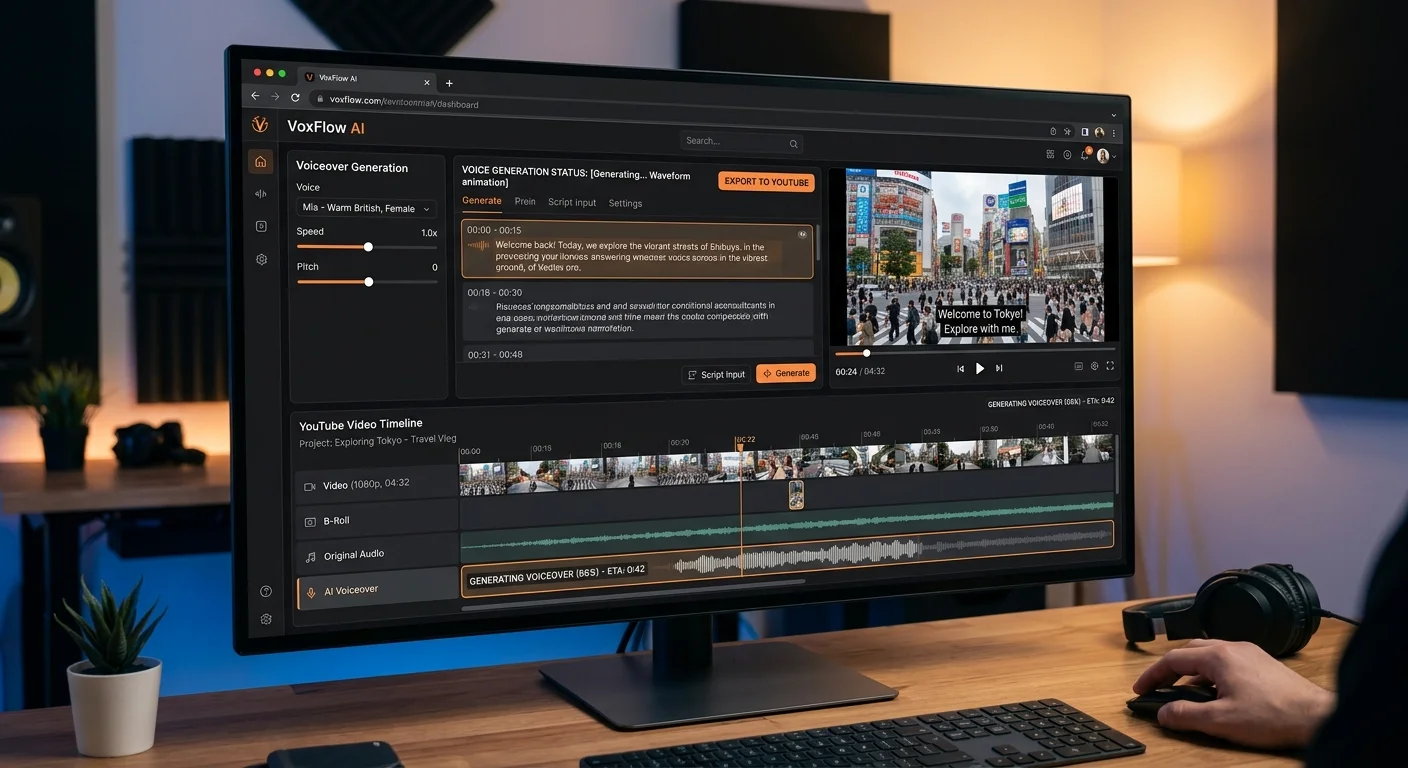
The AI voiceover space has split into two distinct categories this year. On one side, you have traditional text-to-speech platforms that have been around for years but now offer dramatically improved voice quality. On the other side, a newer breed of automatic video narration tools has emerged that can analyze visual content and generate scripts without any text input from you. Understanding this distinction is the first step toward picking the right tool for your channel.
Text-to-Speech vs. Scene-Aware Narration
Text-to-speech tools like ElevenLabs, Murf AI, and Play.ht require you to write a script first, then convert it into spoken audio. They excel at voice cloning and offer hundreds of natural-sounding voices. The drawback is that you still need to write every word and manually sync the output with your footage. For creators who already script their videos, this workflow feels natural and adds minimal friction.
Scene-aware tools like Video Narrator take a different approach entirely. You upload your video, and the AI watches what happens on screen, understands the context, and writes narration that matches the visuals. This is particularly powerful for product demos, travel vlogs, and tutorial content where describing what's happening on screen is the primary job of the voiceover. The technology has matured significantly; the narration no longer sounds like a robot reading a Wikipedia article.
For most YouTube creators, the best approach in 2025 combines both categories. Use scene-aware narration for rough cuts and first drafts, then refine with a text-to-speech tool if you need a specific voice or tonal adjustment. This hybrid approach gives you speed without locking you into a single platform's limitations. Think of it as having a writing assistant and a voice actor working in parallel.
Start with a scene-aware tool for your first draft, then polish the script before running it through a premium text-to-speech voice.
2. Evaluate the Top AI Voiceover Tools
With so many options on the market, picking the right AI video narration generator requires looking beyond marketing claims. I've tested over a dozen tools in the past six months, and the differences in output quality, pricing, and workflow integration are substantial. Some tools sound incredible in isolation but fall apart when you try to sync their output with real video content. Others are rough around the edges but fit perfectly into a YouTube production pipeline.
Feature Comparison
ElevenLabs remains the gold standard for voice quality. Their voice cloning feature lets you train a model on your own recordings, so the AI output sounds like you. This is ideal for creators who want consistency across videos but don't want to record every single session. The best AI voice generators in 2025 all offer some form of cloning, but ElevenLabs does it with the least amount of training data required.
Video Narrator stands out for a completely different reason. Rather than requiring a pre-written script, it analyzes your footage and produces contextual narration automatically. For creators making screen recordings, cooking tutorials, or travel content, this eliminates the most tedious part of the process. You upload a video, and within minutes you have a narrated version ready for review. The output quality has improved dramatically since early 2024.
Voice cloning tools typically require you to agree to terms confirming you have rights to the voice being cloned. Never clone someone else's voice without permission.
Murf AI and Play.ht occupy a middle ground, offering large voice libraries at competitive prices. Murf focuses on professional-sounding voices suited for corporate content, while Play.ht has the widest language support with over 140 languages. If your YouTube channel targets a global audience, Play.ht's multilingual capabilities are hard to beat. Fliki deserves mention for its unique blog-to-video pipeline, which can transform a written article into a narrated video with stock footage automatically.
3. Build Your YouTube Voiceover Workflow
Having the right tool is only half the battle. The real productivity gains come from building a repeatable workflow that integrates AI narration into your existing production process. I've seen creators buy expensive subscriptions and then abandon them within a month because they couldn't figure out where the tool fits. The key is to identify exactly where AI saves you time and where human judgment still matters.
Step-by-Step Process
Start by recording your raw video as you normally would. Don't worry about narration during filming; focus entirely on capturing good visuals. Once you have your footage, do a rough edit to trim dead space and arrange your clips in sequence. This is the version you'll feed into your AI video narration tool. The cleaner your rough cut, the better the AI can understand the flow and generate appropriate narration.
"The best AI narration workflow isn't about replacing your creative voice; it's about eliminating the mechanical parts of production."
Next, upload your rough cut to your chosen tool. If you're using a scene-aware platform like Video Narrator, the AI will analyze your footage and generate a script with timing markers. Review this script carefully. You'll likely want to edit 20 to 30 percent of the generated text to match your personal style and catch any misinterpretations. If you're using a text-to-speech tool instead, write or paste your script, select your preferred voice, and adjust speed and emphasis settings before generating audio.
After generating the AI audio, import it back into your video editor. This is where you'll fine-tune the timing, adjust volume levels against background music, and add any manual tweaks. Most editors like Premiere Pro, DaVinci Resolve, and Final Cut Pro allow you to stretch or compress audio clips slightly without noticeable distortion. Use this feature to sync narration beats with visual transitions. Export a preview, watch it at full speed, and note any spots where the narration feels rushed or out of sync.
Export your narrated video at low resolution first for a quick preview. Only render the final 4K version after you've confirmed the audio timing works.
The final step is quality control. Watch your video on both headphones and speakers, since audio issues that are invisible on one can be obvious on the other. Pay special attention to sibilance (harsh "s" sounds), breathing artifacts, and unnatural pauses. Most AI tools have improved dramatically on these fronts, but they still occur occasionally. A quick pass through a free tool like Audacity can clean up any remaining issues before you publish.
4. Optimize and Refine Your AI Narration
Getting decent results from an AI voiceover tool is easy. Getting great results requires some deliberate optimization. The difference between an AI-narrated video that sounds robotic and one that sounds professional often comes down to small adjustments that take only a few extra minutes. These refinements separate channels that grow from channels that stagnate, because audience retention is directly tied to audio quality and pacing.
Common Pitfalls to Avoid
The most common mistake is using the default voice without customization. Every tool offers speed, pitch, and emphasis controls. Spend ten minutes experimenting with these settings for your specific content type. A tech review channel needs a different cadence than a cooking channel. Slow down the narration speed by 5 to 10 percent for complex explanations, and slightly increase it during montage sequences or transitions. These small tweaks make the narration feel intentional rather than automated.
Never publish AI-generated narration without reviewing it first. AI can misinterpret visual context, mispronounce brand names, or generate factually incorrect descriptions.
Another pitfall is over-narrating. Just because the AI can generate continuous narration doesn't mean your video needs it. Strategic silence is powerful on YouTube. Let impressive visuals speak for themselves, and use narration to add context that viewers can't get from the footage alone. A good rule of thumb is to aim for 60 to 70 percent narration coverage on tutorial content and 40 to 50 percent on visual-heavy content like travel or lifestyle videos.
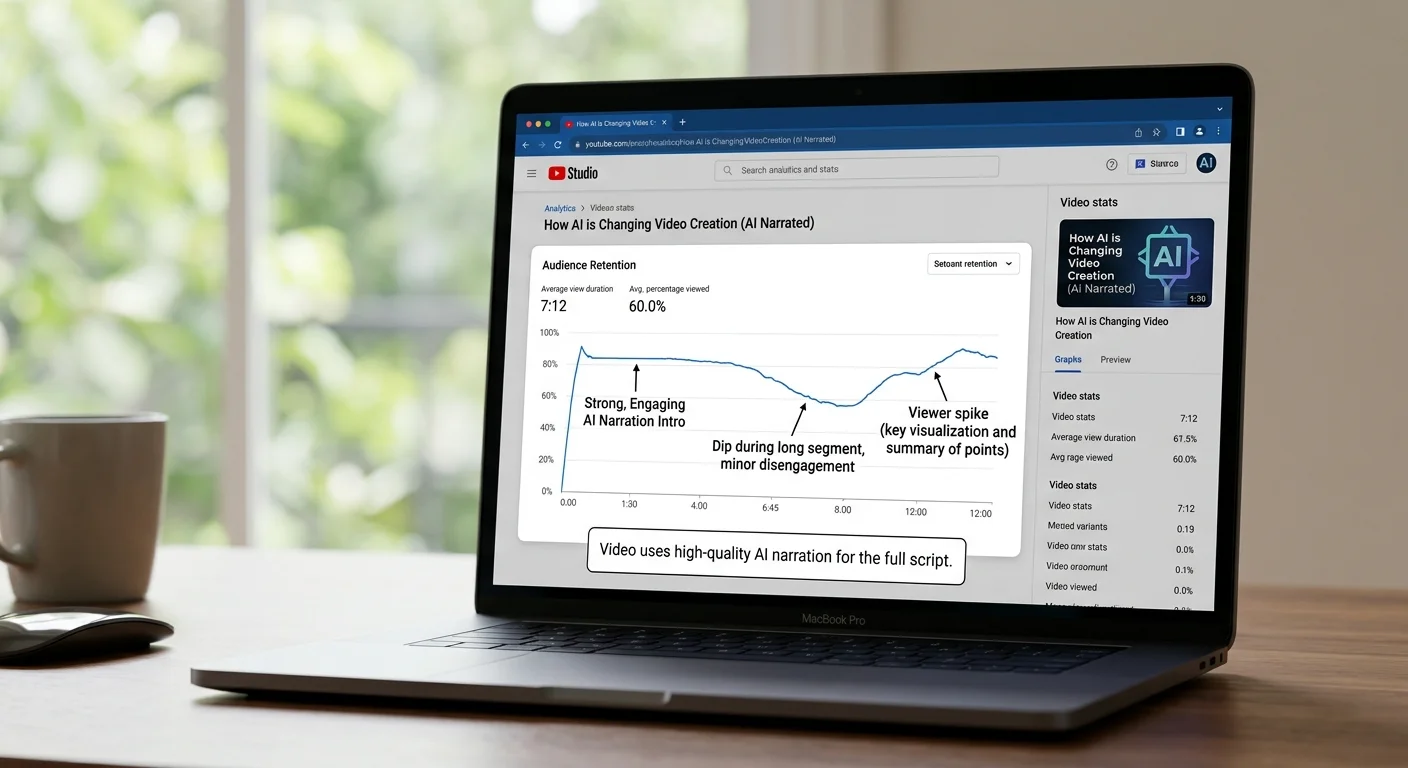
Finally, invest time in A/B testing different voices and styles. Upload two versions of the same video with different AI voices to an unlisted setting and share them with a small test audience. The feedback will surprise you. Creators often pick voices they personally like, which may not match what their audience prefers. Data beats intuition here. Track retention curves on YouTube Analytics to see exactly where viewers drop off, and correlate those drop-off points with narration moments that might need adjustment.
Frequently Asked Questions
?How do I sync scene-aware narration with my YouTube footage?
?When should I use ElevenLabs instead of a scene-aware tool?
?Can AI voiceover tools really cut production time by 50%?
?What's the biggest mistake creators make with AI video narration?
Final Thoughts
The best AI voiceover tools for YouTube in 2025 aren't just about generating realistic voices. They're about fitting into your creative process and giving you back the hours you'd otherwise spend on mechanical production tasks.
Whether you choose a scene-aware tool like Video Narrator or a premium text-to-speech platform like ElevenLabs, the key is to test multiple options with your actual content. Start with free tiers, build a repeatable workflow, and refine based on audience feedback rather than assumptions.
Disclaimer: Portions of this content may have been generated using AI tools to enhance clarity and brevity. While reviewed by a human, independent verification is encouraged.