An AI video narration generator is a tool that analyzes the visual content of a video, interprets what's happening in each scene, and produces a spoken voiceover that describes or commentates on the footage automatically. Think of it as giving your video an intelligent narrator without hiring one.
For content creators and video editors who produce high volumes of material, this technology represents a meaningful shift in how post-production workflows operate. Instead of scripting, recording, and syncing voiceovers manually, you upload a video and receive a natural-sounding narration that matches what's actually on screen. The AI video narration generator concept sits at the intersection of computer vision, natural language processing, and text-to-speech synthesis.
It's not just reading a script someone wrote; it's writing that script itself based on what it sees. Whether you're producing tutorials, social media clips, or documentary-style content, understanding this technology is worth your time.
Key Takeaways
- AI video narration generators watch your footage and write scripts based on visual content automatically.
- The technology combines computer vision, language generation, and text-to-speech into one workflow.
- Content creators can cut voiceover production time from hours to minutes per video.
- Automatic video voiceover works best for informational, descriptive, and accessibility-focused content.
- Human review remains essential because AI can misinterpret ambiguous or complex visual scenes.
How AI Video Narration Generators Work
Scene Analysis and Understanding
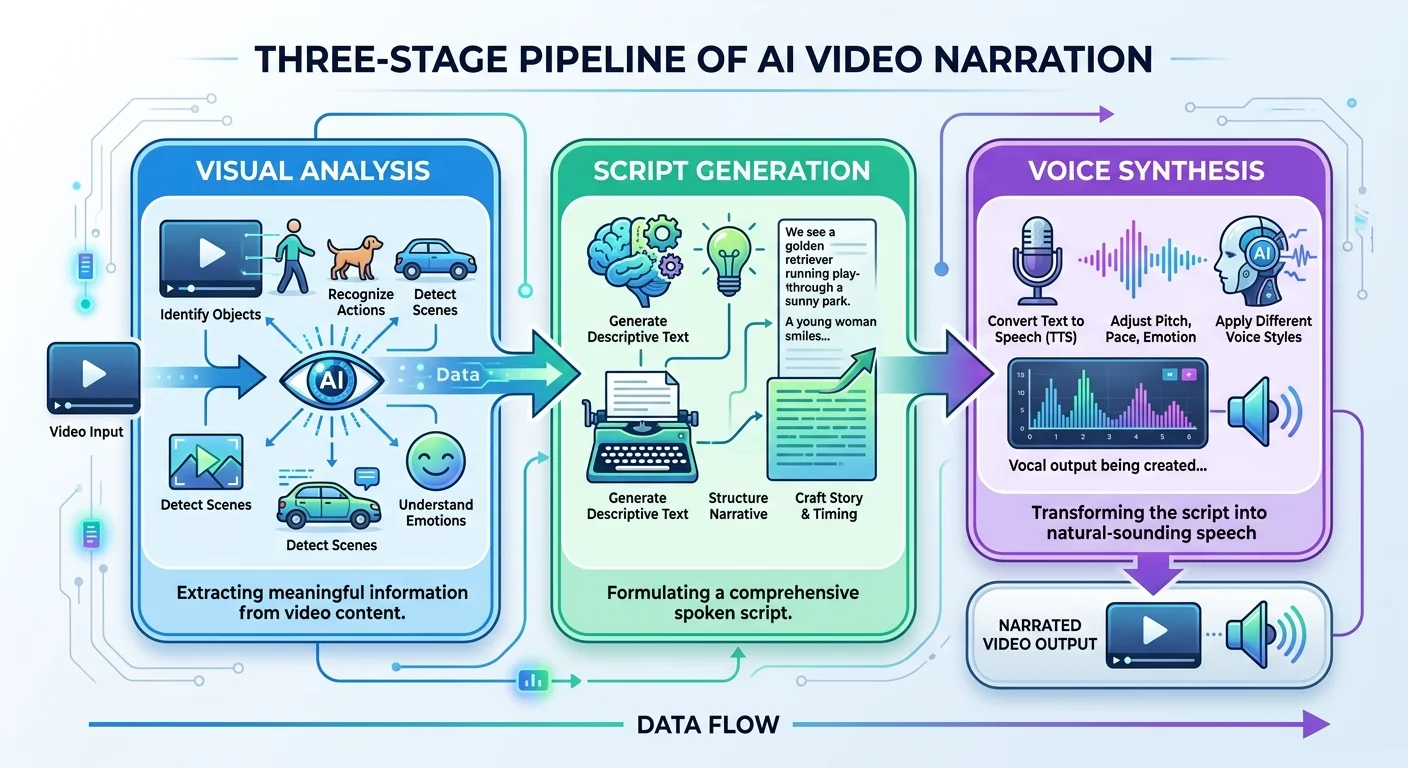
The process begins when you upload a video to a platform like Video Narrator. The system breaks your footage into individual frames or short segments and runs each through a computer vision model. These models identify objects, people, actions, text on screen, and spatial relationships. A frame showing someone typing at a laptop in a coffee shop, for example, gets tagged with those specific visual elements rather than treated as an abstract blob of pixels.
This ai scene description layer is where the real intelligence lives. Modern vision models don't just label objects; they understand context. They can distinguish between someone waving goodbye and someone hailing a taxi, or between a product demonstration and someone casually holding an item. The temporal dimension matters too. The system tracks how scenes change across frames, identifying transitions, movements, and narrative progression throughout your video.
Once the visual analysis is complete, the AI builds a structured understanding of your video's content. It knows what happened first, what came next, and how different scenes relate to each other. This structured data becomes the foundation for generating a coherent narration that follows the actual flow of your footage, not just a random collection of scene descriptions stitched together.
Scene analysis accuracy depends heavily on video quality. Well-lit footage with clear subjects produces significantly better narration results than dark or blurry content.
Script Generation and Voice Synthesis
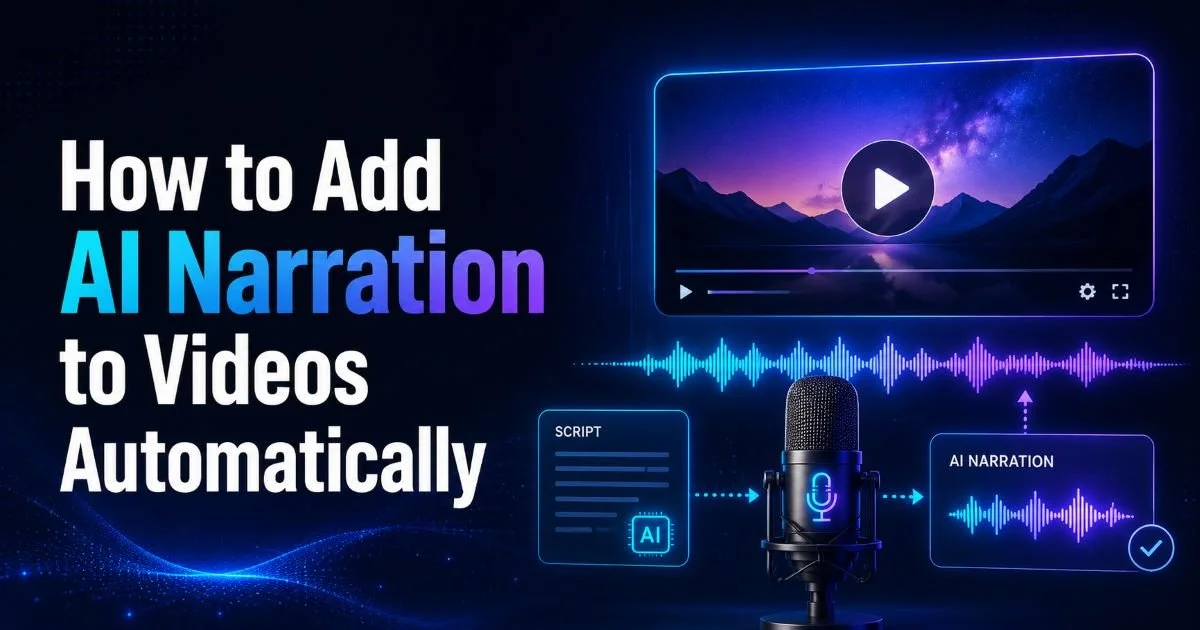
With scene data in hand, a large language model generates the actual narration script. This is where video to speech ai gets interesting. The language model doesn't just list what it sees. It crafts sentences with natural pacing, appropriate vocabulary, and a tone that matches the content. A cooking tutorial gets different language than a nature documentary or a tech review. The model considers timing too, generating text that fits within each scene's duration.
The final step converts that generated script into spoken audio using text-to-speech synthesis. Modern TTS engines produce voices that sound remarkably human, with natural intonation, breathing patterns, and emphasis. Some platforms offer multiple voice options, and the field of AI voice cloning has advanced rapidly, allowing creators to generate narration in specific voice styles. The synthesized audio is then synchronized with the original video timeline.
Why It Matters for Content Creators
Speed and Scale
Traditional voiceover production is a multi-step process. You watch the footage, write a script, rehearse it, record in a quiet environment, edit the audio, and sync it with the video. For a single five-minute video, this can take two to four hours. Multiply that across a content calendar with daily or weekly uploads, and voiceover becomes a significant bottleneck. An AI video narration generator compresses this entire process into minutes, not hours.
The scalability implications are substantial for creators managing multiple channels or clients. A freelance video editor handling ten client projects per week can add narration to each without dramatically increasing their workload. Social media managers who repurpose long-form content into dozens of short clips can auto narrate video segments that previously would have gone out silent or with just music and captions. This isn't about replacing human creativity; it's about removing a production bottleneck.
Accessibility and Reach
Automatic video voiceover has major implications for accessibility. Visually impaired audiences rely on audio descriptions to engage with video content, but most creators skip this step because of the effort involved. When AI handles the description work, more videos become accessible by default. This matters both ethically and practically, since accessible content reaches wider audiences and performs better on platforms that prioritize inclusive design in their algorithms.
Beyond accessibility, AI video commentary opens doors for multilingual content distribution. Once a narration script exists, translating and re-synthesizing it in another language becomes straightforward. Creators who previously served only English-speaking audiences can suddenly distribute narrated content in Spanish, Mandarin, Hindi, or dozens of other languages without hiring voice talent for each one. The barrier between having a great video and having a great video with professional narration has dropped significantly.
"The barrier between having a great video and having a great video with professional narration has dropped from hours of work to a single upload."
Use Cases and Real Examples
Educational content benefits enormously from this technology. Imagine a biology instructor who records microscope footage of cell division. Instead of pausing to narrate each phase, they simply upload the raw footage and receive a narration that identifies and explains the mitotic stages as they appear. The AI video narration generator handles the descriptive work while the instructor focuses on teaching strategy and curriculum design. Online course creators on platforms like Udemy and Skillshare use similar approaches to produce more polished content faster.
E-commerce brands use video narration AI to produce product showcase videos at scale. A company listing hundreds of products can generate narrated demo videos for each item, describing features, materials, and use cases as the camera pans across the product. Real estate agencies apply the same approach to property walkthrough videos, generating professional voiceover descriptions of each room, its dimensions, and notable features without an agent needing to be present during filming.
Social media creators, particularly on platforms like YouTube Shorts, TikTok, and Instagram Reels, use ai scene description tools to add quick commentary to trending content, reaction videos, or compilation clips. The speed advantage is the key factor here. When a trend has a 48-hour window of peak engagement, spending four hours on voiceover production means missing the moment entirely. Generating narration in minutes keeps creators competitive in fast-moving content cycles.
Documentary filmmakers and journalists use these tools for rough-cut narration during the editing phase. Rather than waiting for a professional narrator to record a final voiceover, editors can generate placeholder narration that helps them evaluate pacing, story flow, and visual-audio balance early in post-production. This accelerates the feedback loop between rough cuts and final versions considerably.
Use AI-generated narration as a first draft, then edit the script for tone and accuracy before final synthesis. This hybrid approach gives you speed without sacrificing quality.
Common Misconceptions and Related Concepts
What It Is Not
The most common misconception is that an AI video narration generator simply reads subtitles aloud. That's text-to-speech, which is a component of the technology but not the whole picture. The distinguishing feature is that the AI generates the script itself by analyzing visual content. It watches and interprets your video independently. Another misconception is that AI narration will sound robotic or obviously artificial. While early TTS systems had that flat, mechanical quality, modern neural voices are difficult to distinguish from human recordings in blind listening tests.
Some creators worry that AI narration means giving up creative control. In practice, most platforms allow you to edit the generated script before synthesis, choose voice characteristics, adjust pacing, and modify tone. The AI handles the heavy lifting of initial script generation, but you remain the creative director. Think of it as a highly efficient first draft, not a final product you're forced to accept without changes.
AI-generated narration may occasionally describe scenes inaccurately, especially with abstract visuals, metaphorical imagery, or rapid scene transitions. Always review before publishing.
Related Technologies
It helps to understand where AI video narration sits relative to similar tools. Closed captioning and subtitle generators convert existing audio to text, which is essentially the reverse process. Screen readers describe interface elements for accessibility but don't generate narrative prose. Standard text-to-speech tools convert written scripts to audio but require you to provide the script. The AI video narration generator combines all three capabilities: it sees the content, writes about it, and speaks the result.
| Technology | Generates Script | Analyzes Video | Produces Audio | Best For |
|---|---|---|---|---|
| AI Video Narration | ✓ | ✓ | ✓ | Full narration from raw footage |
| Text-to-Speech | ✗ | ✗ | ✓ | Reading existing scripts aloud |
| Auto Captioning | ✗ | ✗ | ✗ | Transcribing spoken audio to text |
| AI Scene Description | ✓ | ✓ | ✗ | Written descriptions for accessibility |
| Voice Cloning | ✗ | ✗ | ✓ | Replicating a specific voice identity |
Audio description services, traditionally performed by trained professionals, are the closest human equivalent. These specialists watch content and write precise descriptions of visual action for blind and low-vision audiences. AI narration tools automate this process, though they currently lack the nuanced judgment that experienced human describers bring to complex emotional scenes or culturally specific content. The gap is narrowing with each model generation, but it remains real.
Frequently Asked Questions
?How do I get better scene analysis results from my footage?
?Can an AI video narration generator replace a professional voiceover artist?
?How much time does automatic video voiceover actually save per video?
?Will the AI misread scenes where the action isn't obvious?
Final Thoughts
The AI video narration generator is not a futuristic concept; it's a working technology that content creators can use today.
By combining computer vision, language generation, and voice synthesis into a single upload-and-receive workflow, it addresses one of video production's most time-consuming steps. The results are imperfect, and human oversight still matters for quality and accuracy. But for creators who need to produce narrated video content at scale, this technology offers a practical path from raw footage to polished, voiced final product.
Disclaimer: Portions of this content may have been generated using AI tools to enhance clarity and brevity. While reviewed by a human, independent verification is encouraged.